|
Note: |
You must be an Administrator to complete this function. |
|
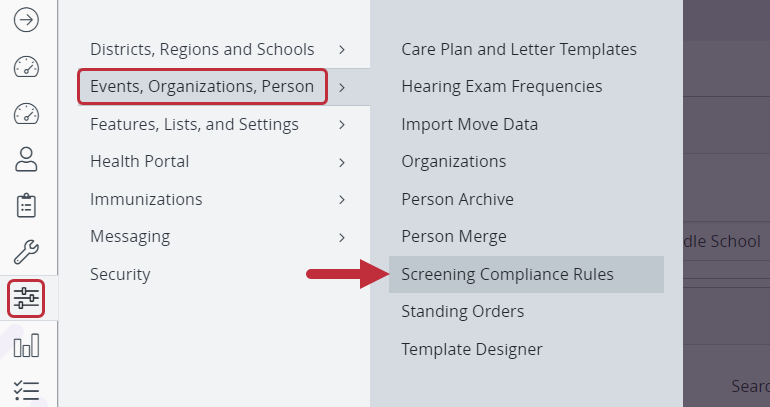
Select Screening Compliance Rules.
Open the Administrative MenuOpen Events, Organizations, Person Select Screening Compliance Rules. |
|
|
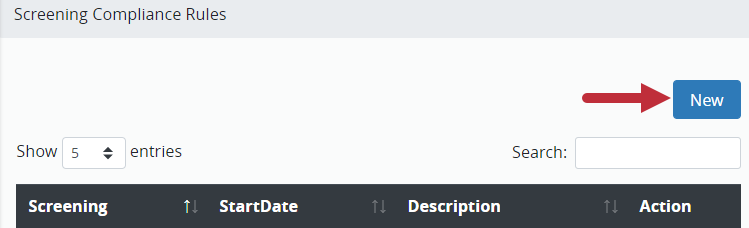
New Rule
Click New. |
|
|
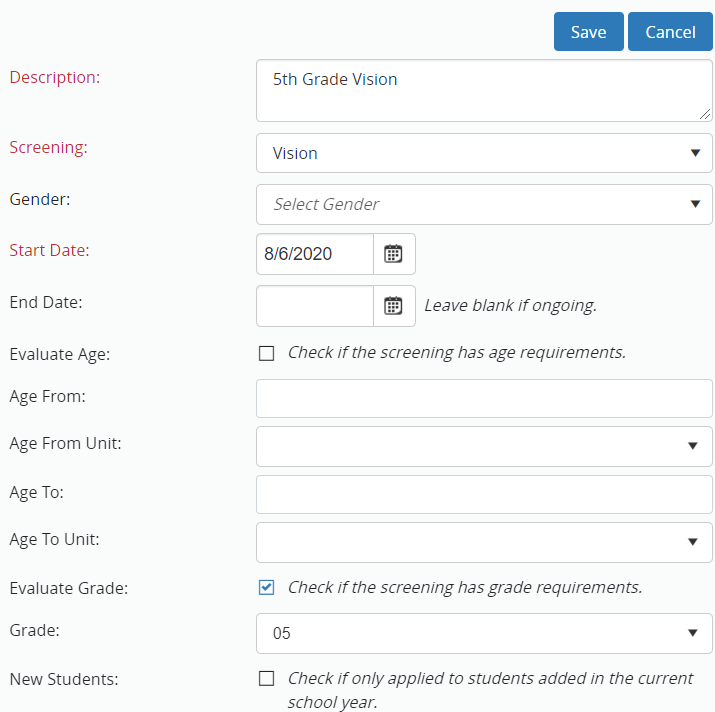
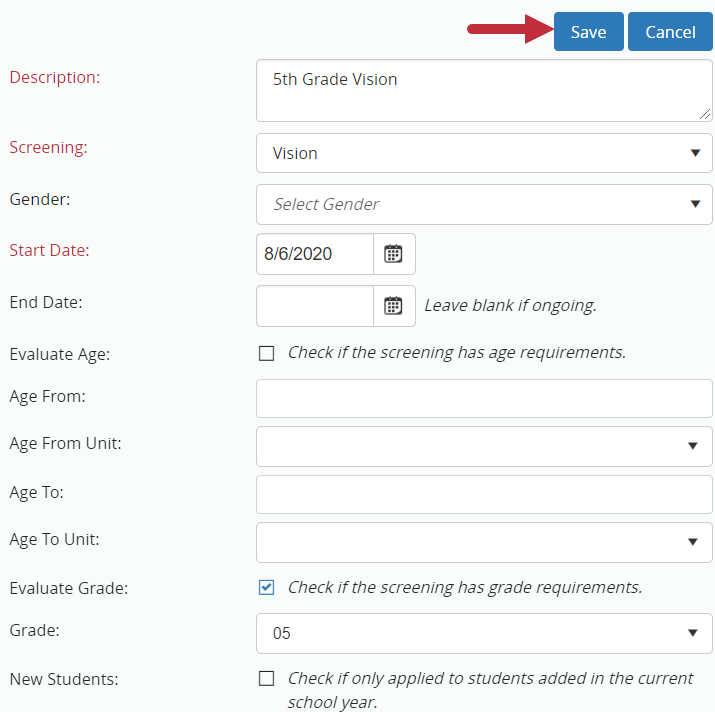
Create Screening Compliance Rule.
Complete the required fields including:
Description: add a description.
Screening: Select the screening type.
Start Date: The date the compliance rule starts.
Complete the other fields:
Complete Gender if this rule is gender specific.
Only enter end date to stop this rule.
Fill in the evaluation age or evaluation grade (or both) to add specifics to your compliance rule. |
|
|
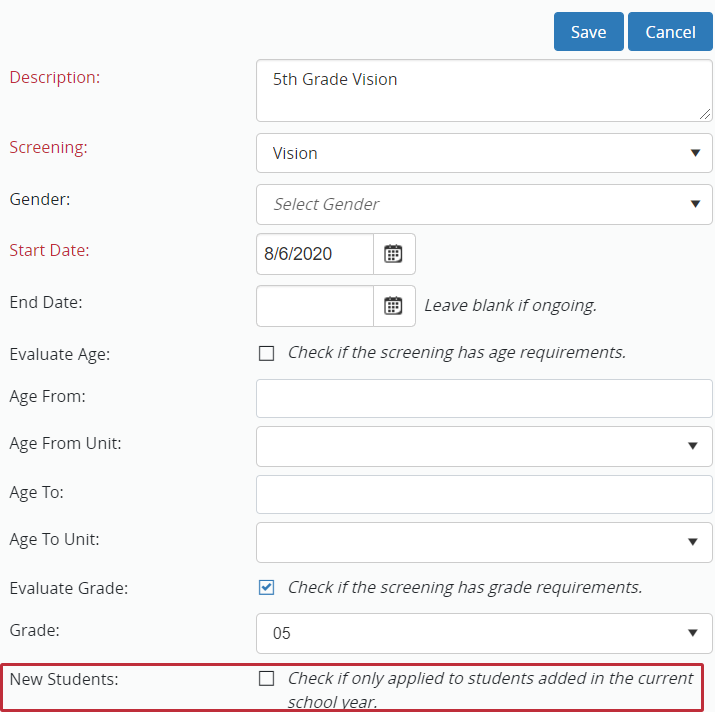
New Students.
Check box if applying rule to students added throughout school year. |
|
|
Save.
Click Save. |
|
|
The newly configured rule will display in the Screening Compliance Rules tab.
|
|