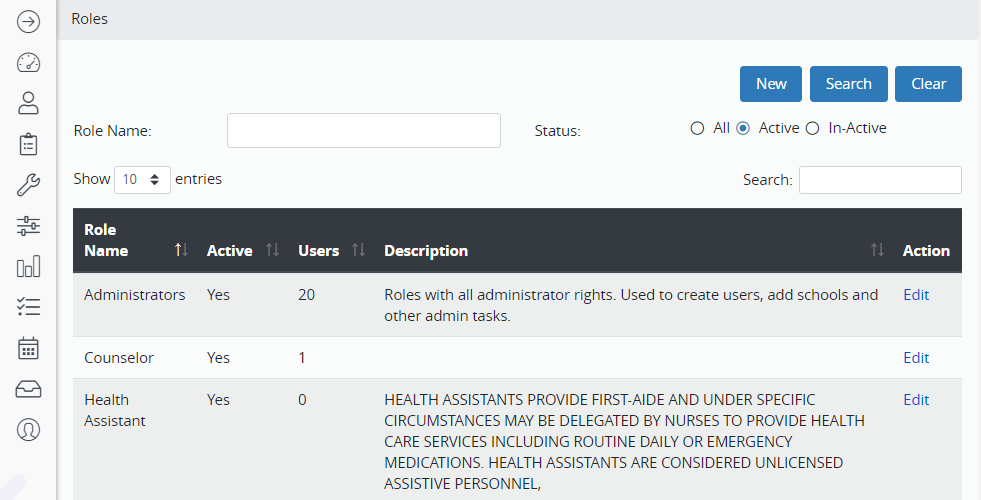
- Hover over the Administration Menu and Security. Click Roles.
- Search for the role by name or status.
- Click Run.
- Click the role to open it.
- Make any needed changes to the role using the menu items on the left.
- Move permissions between Denied (on the top) and Granted (on the bottom).
- Double click the permission line to move it or use the green arrows in the middle.
- Click Save.
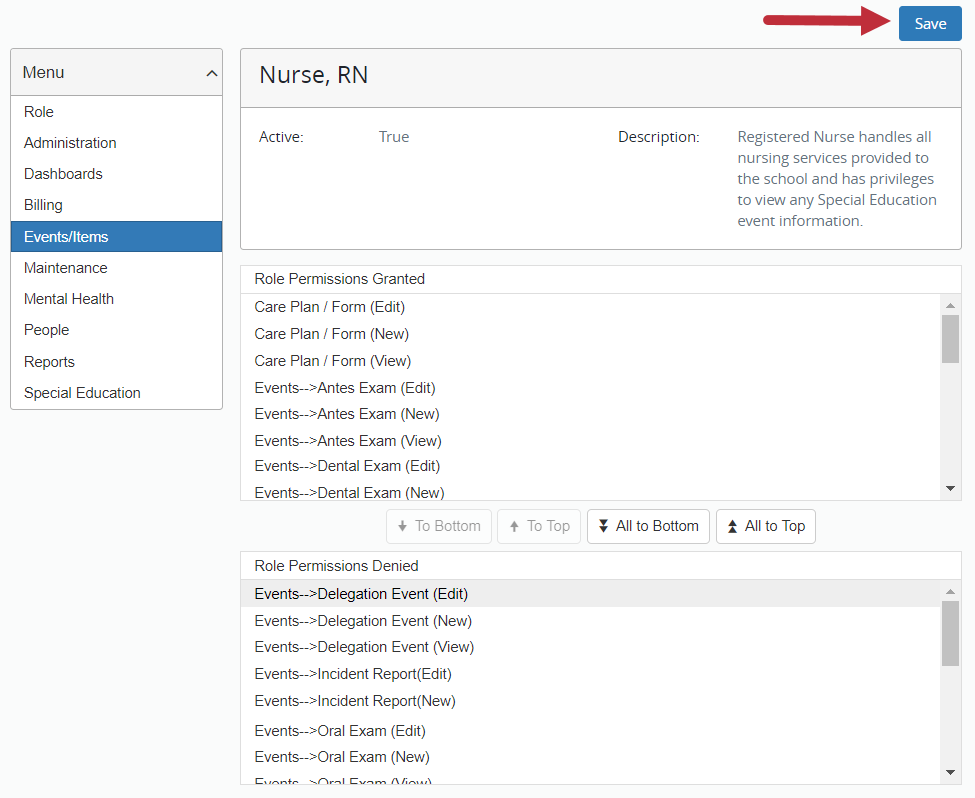
- Click Save before moving on to the next menu.
- Click to the next menu on the left and repeat the above steps.