Schools must be added in School Health Management before you go any further. The information created in schools is the foundation for many other configuration steps. For example, schools are needed for assigning schools to users, creating calendars, and enrollment for student records imported from a student information system (SIS) or migrated from older versions of the product.
Add Schools
- Click Administration in the Navigation Menu, click Districts, Regions and Schools, then click Schools.
- To search for a created school, enter the search criteria and click Search.
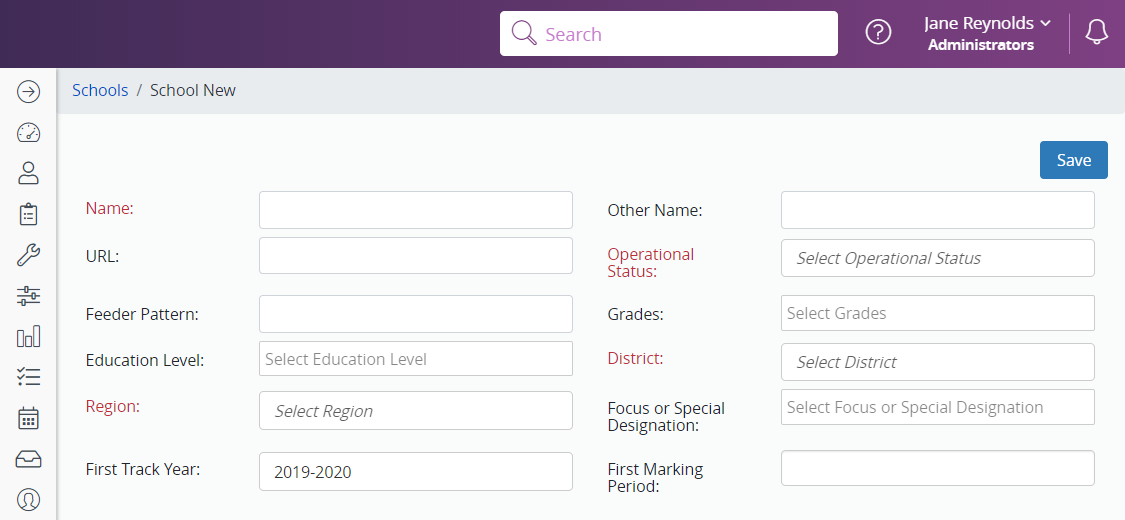
- To create a new school, click New.
- Enter the school’s information, focusing on the Grades field and the required (red) fields.
- Click Save.
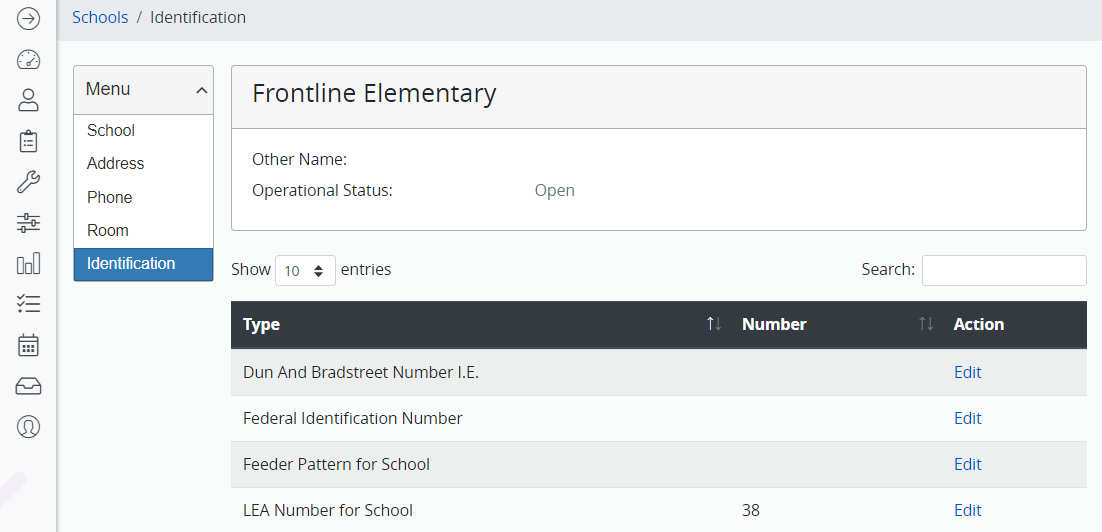
- Click Identification from the menu that appears on the left.
- Click Edit next to “LEA Number for the School.”
- Enter the LEA number
- Click Save.
- The school’s LEA number is added.
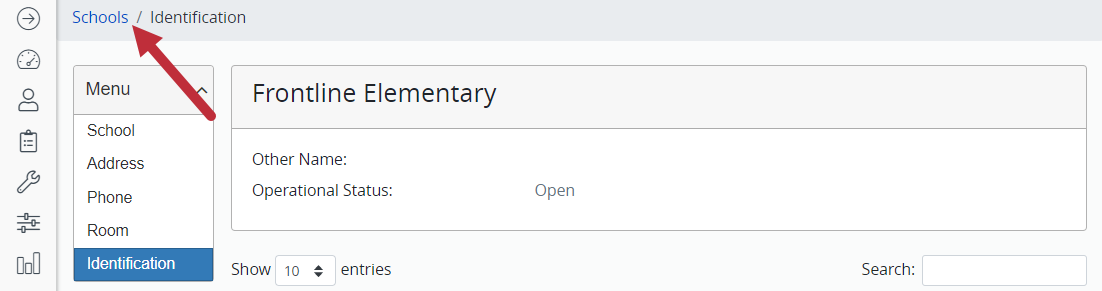
- In the gray bar at the top of the screen, click Schools to return to the school search screen.
- Repeat the above process until all schools are added.