Edit or Deactivate a Global Template
- Administration
- Events, Organizations, Person
- Template Designer
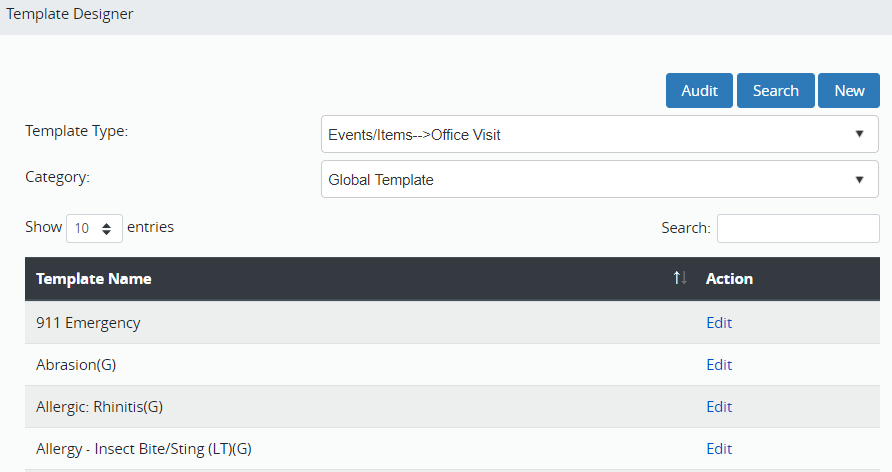
- Click Administration in the Navigation Menu, click Events, Organizations, Person, and then click Template Designer.
- To search for a Global Template, select the template type and category, then click Search.
- Click Edit to the right of the template name.
- To deactivate this template:
- Uncheck Active.
- Click Save.
- To edit this template:
- Adjust any of the fields in the template.
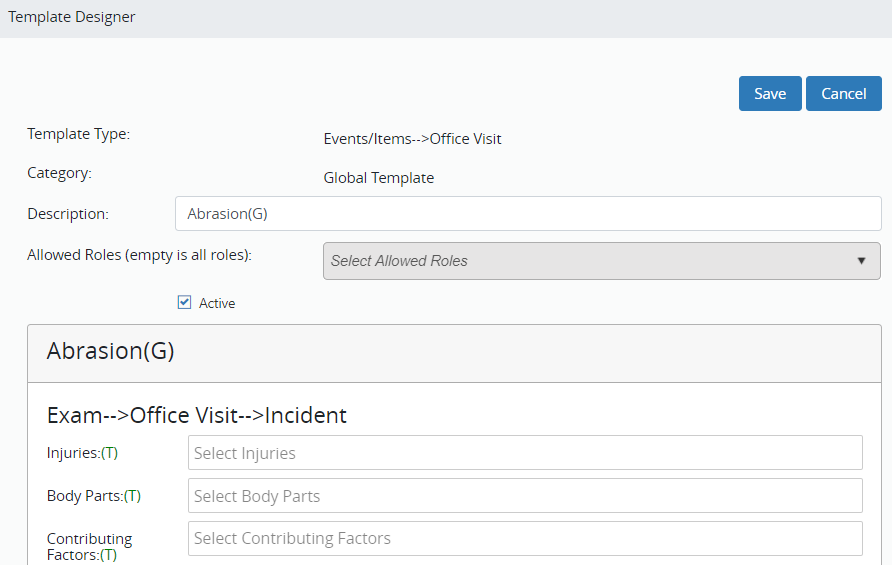
- Click Save at the top of the screen.
- When you click Save you are taken back to the template screen to edit or deactivate another template.