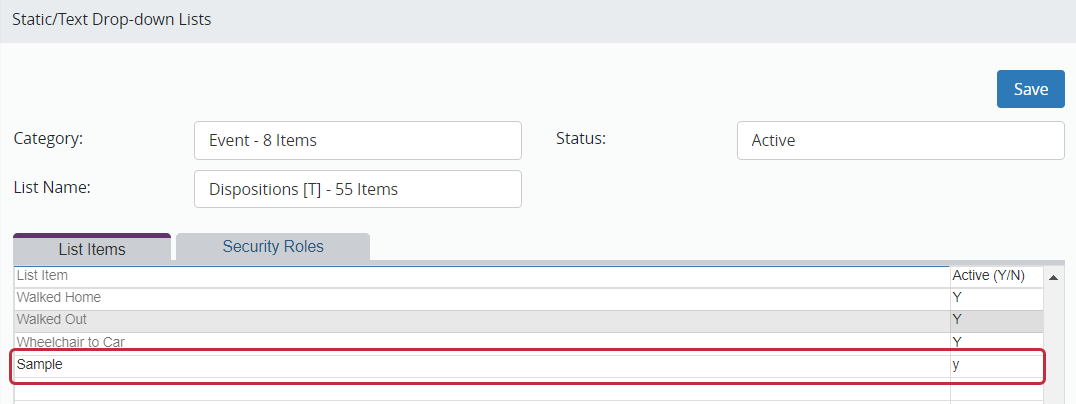
- Using the Category and List Name fields, locate the list.
- Scroll to the bottom of the screen until you see blank rows.
- Click in a blank row and type in the new list item.
- Type a “Y” in the active column.
- Add as many items to this list as you want.
- Click Save at the top of the screen.