There may be times when multiple roles use the same list, and each role has different list items unique to their role in the district. For example, a Health Aid may not do the same treatments as a Registered Nurse, so the list items in that section can be assigned to the appropriate user role. A user will only see the list items assigned to their role.
- Use the Category and List Name fields to locate the list items you want to assign.
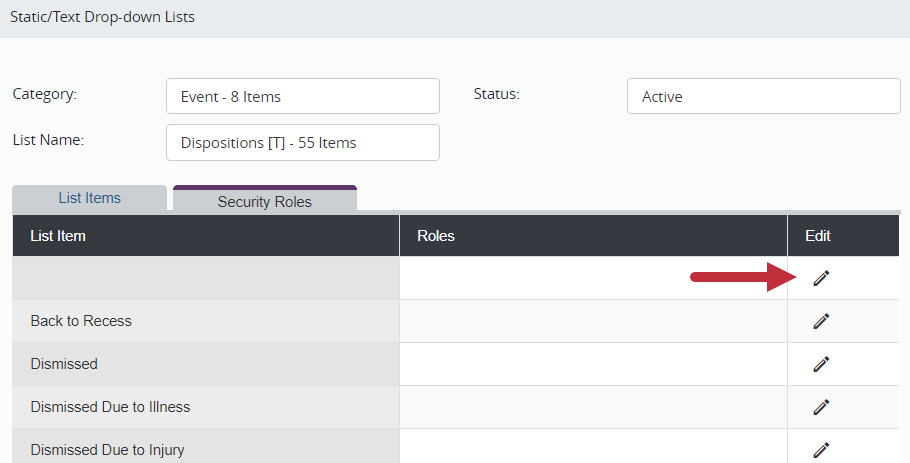
- Click the Security Role tab at the top of the List Items grid.
- Click Edit to the right of the list item to assign it to a role.
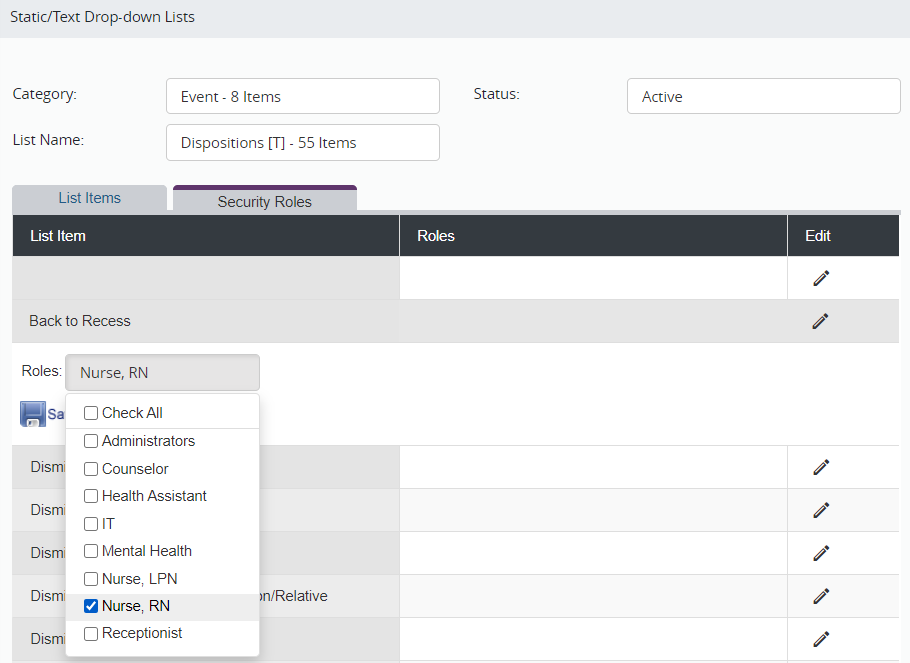
- Click the Roles field.
- Click the checkbox next to all the roles who need to see this list item. Only the roles selected will see the item. Any roles left unchecked will no longer have the item as an option.
- If all user roles should have the item as a list option, leave all the roles unchecked.
- Click Save.