If your district has purchased Health Portal, configure the following items as appropriate for the role.
Note:
If your district has purchased Health Portal, an import of Staff and Families email addresses is required. Contact Frontline Support for more information.
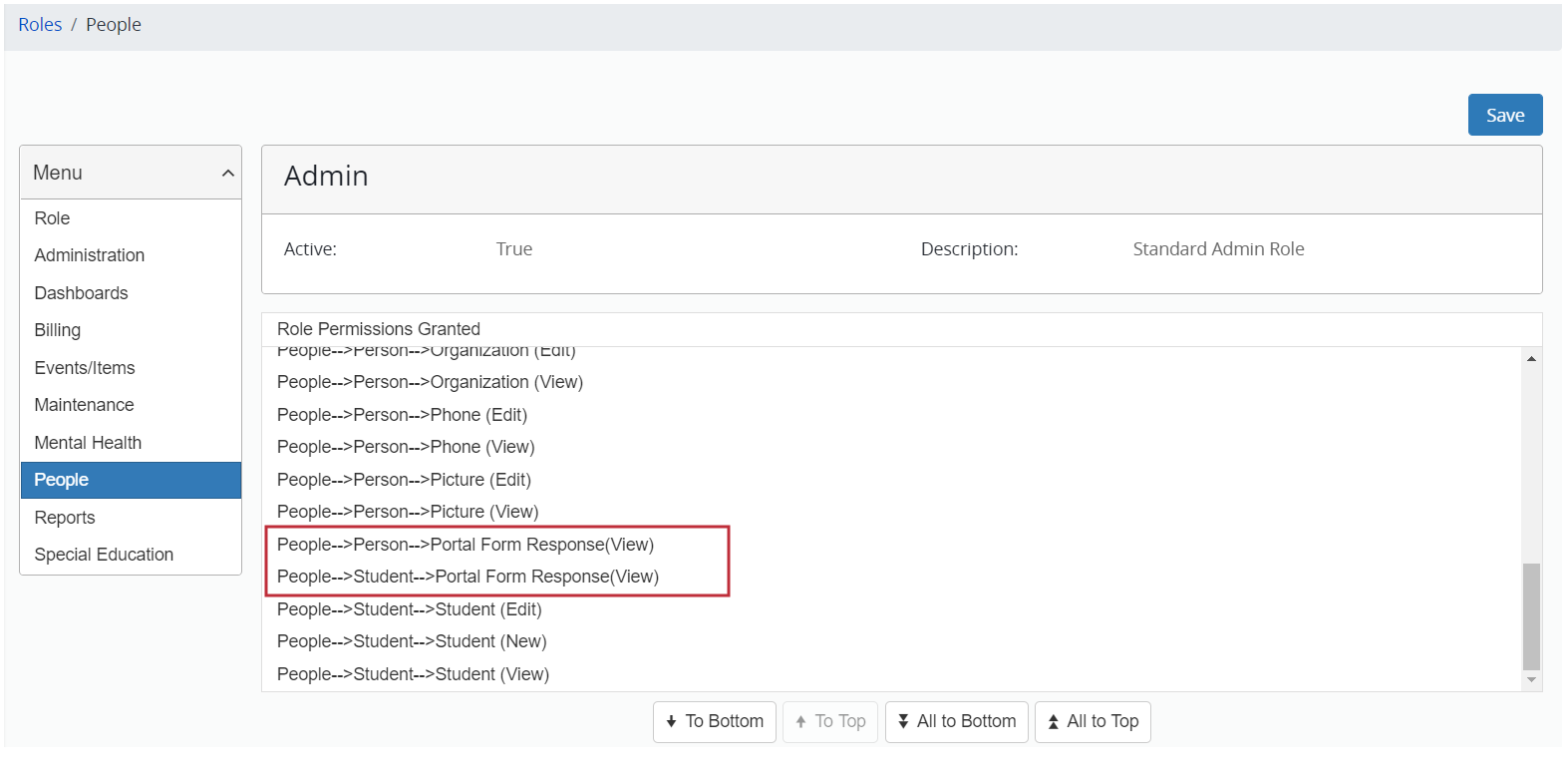
Enable Access to People
- For a selected role, select People from the menu to view the People page.
Note: For information about locating roles, see “Access a Role for Editing”.
- In the Role Permission Denied list, select the following as appropriate for the role:
- “People-->Person-->Portal Form Response (view)”
- “People-->Student-->Portal Form Response (view)”
- Click To Top to move the selection to the Role Permissions Granted list.
- Click Save.
Add the Daily COVID-19 Questionnaire Dashboard
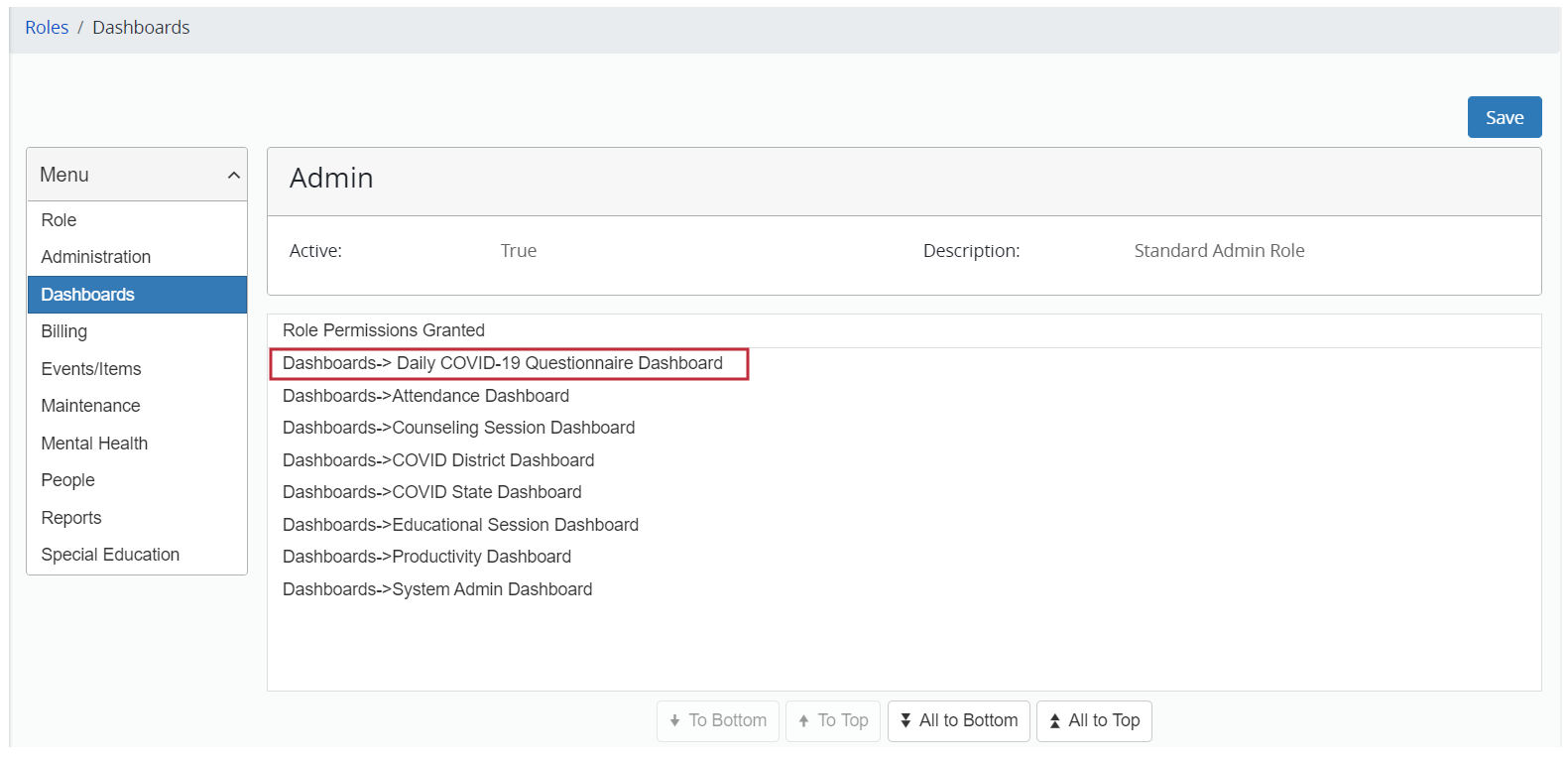
- For a selected role, select Dashboards from the menu to view the Dashboards page.
Note: For information about locating roles, see “Access a Role for Editing”.
- In the Role Permission Denied list, select “Dashboards-->Daily COVID-19 Questionnaire Dashboard” if appropriate for the role.
- Click To Top to move the selection to the Role Permissions Granted list.
- Click Save.